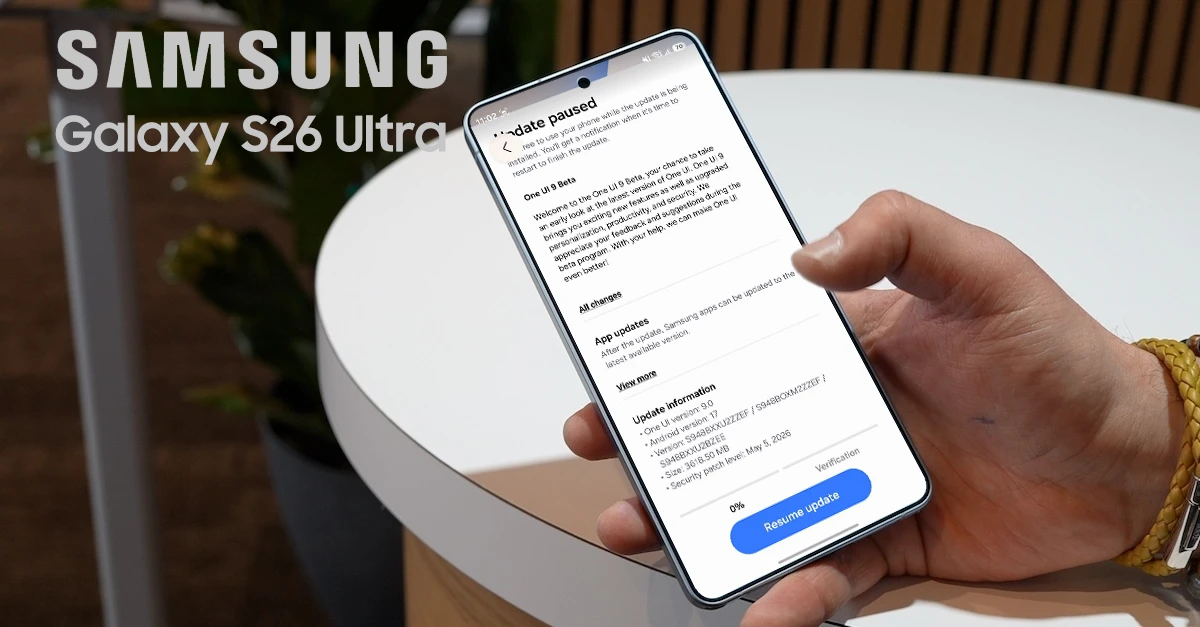
Samsung has officially kicked off the One UI 9 beta program, releasing the first test build for the Galaxy S26, Galaxy S26+, and Galaxy S26 Ultra. The update arrives just as the company begins rolling out the stable One UI 8.5 update to last year’s flagship devices, signaling Samsung’s accelerated software development cycle for 2026.
One UI 9 Beta Availability and Firmware Details
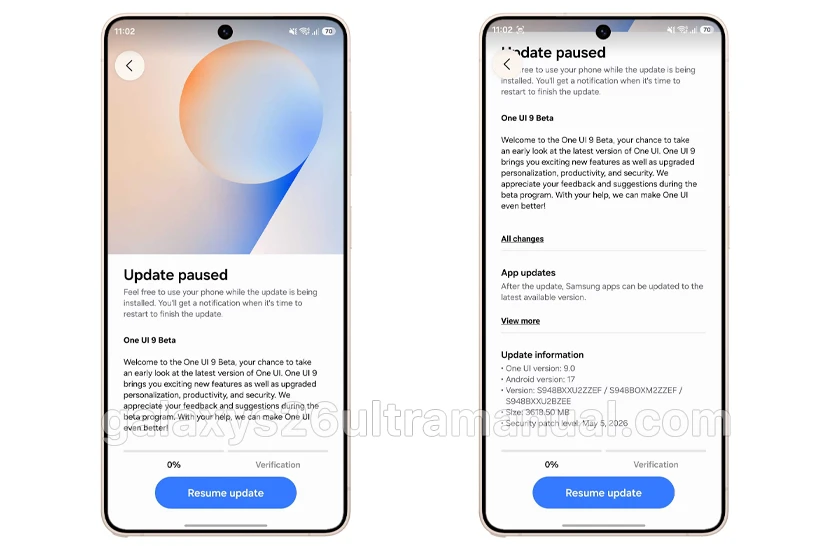
The first One UI 9.0 beta update is now live in select markets, including Germany and the United Kingdom, carrying firmware version S94xBXXU2ZZEF with a download size exceeding 3.6GB. Samsung has also released the beta in South Korea under version S94xNKSU2ZZEF, and reports indicate availability has expanded to the United States and other supported regions shortly after the initial launch.
Built on top of Android 17, this inaugural beta build also incorporates the May 2026 security patch, ensuring users have the latest vulnerability protections while testing pre-release software. Samsung typically staggers beta rollouts geographically, so users in India, Poland, and additional supported countries can expect access in the coming weeks as the program expands.
Key Features and Design Changes in One UI 9.0
While the One UI 9 changelog is comparatively compact next to the feature-heavy One UI 8.5 update, the refinements focus on customization, creativity, accessibility, and security.
Enhanced Quick Panel Customization
The Quick Panel receives its most significant overhaul yet. Users can now independently resize the display brightness slider, media player widget, and volume slider to suit their preferences. Additionally, One UI 9.0 allows you to separate the Display Mode and Sound Mode toggles from their respective sliders, offering a cleaner, more personalized notification shade layout.
Samsung Notes Tape Feature and New Pen Styles
Samsung Notes introduces Tape, a creative privacy feature that lets users cover sensitive portions of their notes with decorative tape strips. The hidden content remains concealed until you choose to reveal it, making it ideal for hiding passwords, gift ideas, or private information within shared notebooks. The app also expands its drawing toolkit with additional pen styles for more expressive handwriting and sketching.
Game Booster Improvements
The redesigned Game Booster panel that debuted with One UI 8.5 becomes more functional in One UI 9.0. Gamers can now access settings shortcuts directly within the in-game overlay, allowing real-time adjustments to screenshot resolution and panel placement without exiting their current session.
Privacy and Location Permission Refinements
One UI 9.0 redesigns the precise location permission dialog with clearer visual indicators. When applications request location access, users see distinct Approximate and Precise options, with a blue checkmark highlighting the active selection for easier verification. The system also adds a status bar indicator to improve transparency about when precise location is active.
Accessibility and Security Enhancements
Beyond visual changes, the beta introduces several new accessibility features aimed at making Galaxy devices more inclusive. On the security front, One UI 9 strengthens protection against suspicious applications by warning users when high-risk apps are detected, blocking execution and installation, and recommending deletion through automatic security policy updates.
How to Download the One UI 9 Beta on Your Galaxy S26 Ultra
If you reside in a supported country and have already enrolled your device in the One UI 9 beta program through the Samsung Members app, installing the update is straightforward:
- Open Settings.
- Navigate to Software update.
- Tap Check for updates.
- If the firmware appears, it will download automatically.
- Once downloaded, tap Install now.
- Your phone will restart to complete the installation.
Important Considerations Before Installing
Because this is pre-release software, Samsung explicitly cautions that the One UI 9 beta may contain bugs, performance inconsistencies, or app compatibility issues. Users who depend on their Galaxy S26 for critical daily tasks should strongly consider waiting for the stable release, which is expected to debut alongside the Galaxy Z Fold 8 and Galaxy Z Flip 8 later this year.
Always back up your important data before enrolling in any beta program.
Samsung has confirmed that the full One UI 9 experience launching with upcoming Galaxy flagship devices will include advanced AI features designed to make mobile interaction “easy and effortless,” though these capabilities are not yet active in the current Galaxy S26 beta builds.